
Disclosure: This post contains affiliate links. If you purchase through our links, we may earn a small commission at no extra cost to you.
A pen drive is still one of the simplest ways to carry files between computers, keep a copy of important documents or transfer photos and videos without relying on an internet connection.
But not every pen drive is suited to the same job. A basic USB 2.0 drive can handle occasional document transfers, while a faster USB 3.0 or USB 3.2 Gen 1 model is a better fit for people who regularly move larger files. Some drives also stand out for their metal construction or compact designs that can remain plugged into a laptop.
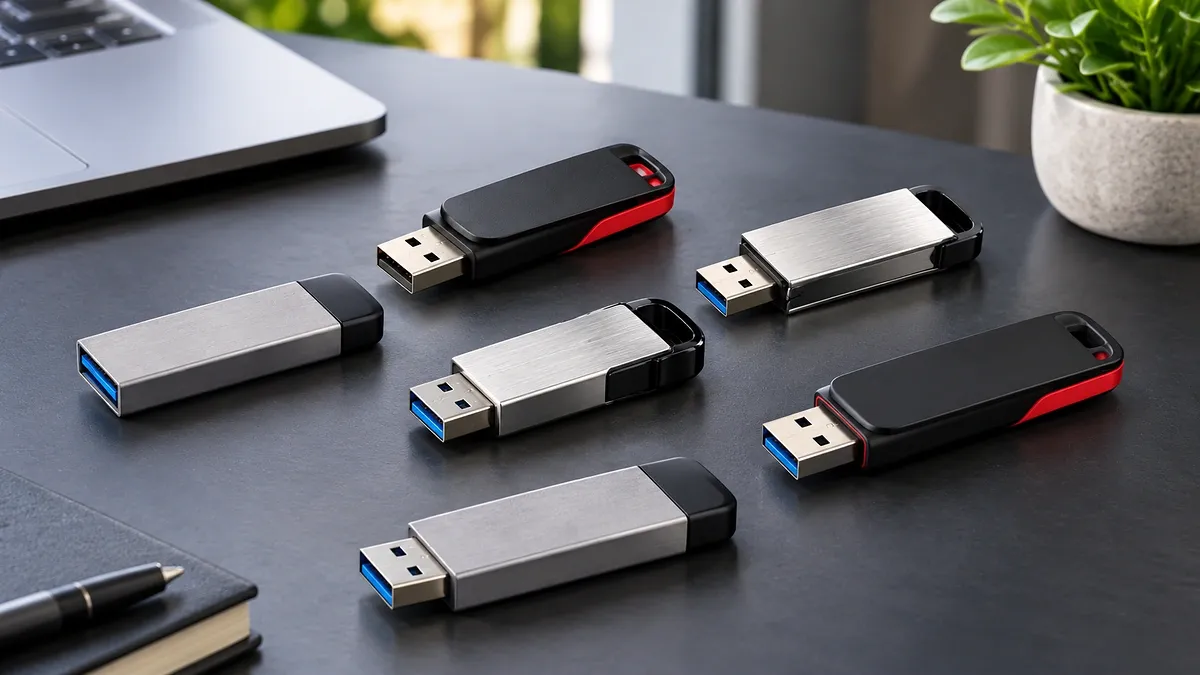
For this guide, we have shortlisted six 64GB pen drives across three categories: Budget, Balanced and Premium. Each recommendation has a specific reason behind it, whether that is basic storage, faster read performance or a more convenient design.
What to Look for in a Pen Drive?
Before choosing a pen drive, check these five things.
1. Storage Capacity
All six options in this guide offer 64GB of advertised storage. This is sufficient for documents, presentations, photos and many everyday files.
The actual usable capacity will be lower than 64GB because manufacturers and computers calculate storage differently, and some space is used for formatting.
2. USB Interface
USB 2.0 is suitable for basic storage and occasional transfers. USB 3.0 and USB 3.2 Gen 1 offer greater bandwidth and are better suited to frequent file transfers.
Remember that the computer’s USB port also matters. Connecting a faster pen drive to a USB 2.0 port will limit its performance.
3. Read and Write Speeds
Read speed tells you how quickly files can be accessed or copied from the pen drive to your computer. Write speed tells you how quickly files can be saved onto the drive.
Manufacturers often advertise maximum read speeds, but write speeds can be considerably lower. Always check whether a speed figure refers to reading or writing.
4. Build and Design
Plastic and metal are common body materials. Metal drives offer a different construction and feel, while capless models eliminate the need to keep track of a separate cap.
Compact designs can also be useful when carrying a pen drive with a laptop or leaving it connected to a computer.
5. Security and Warranty
Some SanDisk models support software-based password protection through SanDisk SecureAccess. Check the software’s operating-system compatibility and download requirements before relying on it.
Also check the warranty period and its conditions. A limited warranty does not necessarily cover physical damage or data loss.
Best Budget Pen Drives (Under ₹800)
These options are intended for basic storage and occasional file transfers. Both use USB 2.0, so they are better suited to documents and everyday files than frequent transfers of large videos or work folders.
SanDisk Cruzer Blade 64GB USB 2.0 – Editor’s Pick
The SanDisk Cruzer Blade is our Budget Editor’s Pick for straightforward everyday storage. Its compact design makes it easy to carry, and SanDisk SecureAccess software provides an option to protect private files with a password.
Key Specifications
- Storage capacity: 64GB
- Model: SDCZ50-064G-I35
- Interface: USB 2.0
- Body: Red plastic construction
- Security: SanDisk SecureAccess software with 128-bit AES encryption for a password-protected private folder
- Compatibility: Compatible computers with USB ports; SecureAccess software has its own operating-system requirements
- Warranty: 5-year limited warranty
Why we picked it
The Cruzer Blade is a straightforward choice for carrying documents, presentations, photos and other everyday files. Its five-year limited warranty and software-based password protection give it an advantage over the HP alternative.
It uses USB 2.0, however, so it is not the right choice if you regularly transfer large files and want faster performance.
Best for: Students and everyday users who need a simple pen drive for documents and occasional file transfers.
HP v236w 64GB USB 2.0 Metal Pen Drive – Runner-up
The HP v236w is a metal-bodied alternative with a capless design. Its integrated strap hole makes it convenient to attach to a keyring or carry loop.
Key Specifications
- Storage capacity: 64GB
- Interface: USB 2.0
- Body: Metal construction
- Design: Capless, with an integrated strap hole
- Read speed: 14 MB/s
- Write speed: 4 MB/s
- Compatibility: Windows and Mac OS systems, as specified in the product listing
- Warranty: 2 years, as supplied in the product details
Why it is the runner-up
The metal construction and capless design make the HP v236w a practical alternative for users who prefer a different build. Its read and write speeds are modest, however, and it does not offer the same listed software-based security feature as the Cruzer Blade.
Best for: Users who prefer a compact metal-bodied pen drive for basic storage.
Best Balanced Pen Drives (₹800–₹1,500)
This category is better suited to people who transfer files more regularly. Both SanDisk options use USB 3.0, but the Ultra Flair has a metal casing and a higher advertised read speed.
SanDisk Ultra Flair 64GB USB 3.0 – Editor’s Pick
The SanDisk Ultra Flair is our Balanced Editor’s Pick. It combines USB 3.0 connectivity with a metal body and an advertised read speed of up to 150 MB/s.
Key Specifications
- Storage capacity: 64GB
- Model: SDCZ73-064G-I35
- Interface: USB 3.0, backward compatible with USB 2.0
- Connector: USB Type-A
- Read speed: Up to 150 MB/s
- Write speed: Lower than the advertised read speed; no specific maximum stated for this shortlisted version
- Body: Metal construction
- Security: SanDisk SecureAccess software for password protection
- Warranty: 5-year limited warranty
Why we picked it
The Ultra Flair combines faster USB connectivity, a metal body and a five-year limited warranty. Its advertised read speed makes it a useful choice for accessing and copying files from the drive.
However, the 150 MB/s figure refers to read speed, not write speed. Saving files onto the drive will generally take longer, and actual performance depends on the computer, USB port and files being transferred.
Best for: Users who regularly access and transfer files and want a metal-bodied USB 3.0 pen drive.
SanDisk Ultra 64GB USB 3.0 – Runner-up
The SanDisk Ultra is a practical alternative for users who want USB 3.0 connectivity and software-based file protection. It has a black plastic body and supports backward compatibility with USB 2.0 ports.
Key Specifications
- Storage capacity: 64GB
- Model: SDCZ48-064G-I35
- Interface: USB 3.0, backward compatible with USB 2.0
- Connector: USB Type-A
- Read speed: Up to 130 MB/s
- Write speed: No specific maximum stated for this shortlisted version
- Body: Black plastic construction
- Security: SanDisk SecureAccess software with 128-bit AES encryption for a password-protected private folder
- Warranty: 5-year limited warranty
Why it is the runner-up
The SanDisk Ultra offers a slightly lower advertised read speed than the Ultra Flair, but retains USB 3.0 connectivity and software-based password protection. It is a sensible alternative if you value the security software and do not need the metal casing of the Ultra Flair.
Best for: Users who want a USB 3.0 pen drive with software-based password protection.
Best Premium Pen Drives (Above ₹1,500)
These options offer different advantages beyond basic storage. The Kingston Kyson focuses on metal construction, a capless design and read performance. The SanDisk Ultra Fit is designed for users who want a drive that takes up very little space when connected.
Kingston DataTraveler Kyson 64GB – Editor’s Pick
The Kingston DataTraveler Kyson is our Premium Editor’s Pick. It combines USB 3.2 Gen 1 connectivity with an all-metal, capless design and a functional loop for attaching it to a keyring.
Key Specifications
- Storage capacity: 64GB
- Model: DTKN/64GB
- Interface: USB 3.2 Gen 1
- Connector: USB Type-A
- Read speed: Up to 200 MB/s
- Write speed: Not specified for the 64GB version
- Body: Metal casing
- Design: Capless, with a functional keyring loop
- Dimensions: 39 × 12.6 × 4.9 mm
- Weight: 4 g
- Compatibility: Windows 11/10, macOS 10.15 and later, Linux 4.4 and later, and Chrome OS
- Warranty: 5-year limited warranty
Why we picked it
The Kyson is the strongest all-round option in this category. Its metal casing, compact design, functional loop and advertised 200 MB/s read performance make it a good choice for regular file transfers and everyday carry.
One important distinction: Kingston specifies up to 60 MB/s write speed for its 128GB–512GB versions, but does not specify that figure for the 64GB model. We have therefore not assigned a write-speed figure to this product.
Best for: Users who want a compact metal pen drive with a capless design and faster advertised read performance.
SanDisk Ultra Fit 64GB USB 3.2 Gen 1 – Runner-up
The SanDisk Ultra Fit is designed for users who want a very small pen drive that can remain connected to a laptop or desktop without taking up much space.
Its plug-and-stay design is its biggest advantage. Rather than choosing it for a higher headline speed, consider it for its compact size and convenience.
Key Specifications
- Storage capacity: 64GB
- Model: SDCZ430-064G-I35
- Interface: USB 3.2 Gen 1
- Connector: USB Type-A
- Read speed: Up to 130 MB/s, as stated in SanDisk’s 16GB–64GB performance disclosure
- Write speed: Not specified
- Compatibility: Backward compatible with USB 3.0 and USB 2.0 ports
- Design: Ultra-compact, capless plug-and-stay design
- Dimensions: 29.8 × 14.3 × 5 mm
- Weight: 1.28 g
- Warranty: 5-year limited warranty
Why it is the runner-up
Its small size makes it useful when you want additional storage to remain connected without a conventional pen drive sticking out significantly. It is a convenient alternative to the larger Kingston Kyson if compactness matters more than a metal body or keyring loop.
The 130 MB/s figure is an advertised maximum read speed, not a guaranteed everyday transfer speed. Actual performance varies with the host device and usage conditions.
Best for: Users who want a very small USB-A drive that can stay plugged into a compatible computer.
Quick Comparison of Key Features
Key Feature | Sandisk Cruzer Blade | HP v236w | Sandisk Ultra Flair | SanDisk Ultra | Kingston Kyson | Sandisk Ultra Fit |
Category | Budget | Budget | Balanced | Balanced | Premium | Premium |
Capacity | 64GB | 64GB | 64GB | 64GB | 64GB | 64GB |
Interface | USB 2.0 | USB 2.0 | USB 3.0 | USB 3.0 | USB 3.2 Gen 1 | USB 3.2 Gen 1 |
Read speed | Not specified | 14 MB/s | Up to 150 MB/s | Up to 130 MB/s | Up to 200 MB/s | Up to 130 MB/s |
Write speed | Not specified | 4 MB/s | Lower than read; exact figure not specified | Not specified | Not specified for 64GB | Not specified |
Body | Plastic | Metal | Metal | Plastic | Metal | Compact plastic design |
Security | SecureAccess | Not specified |
SecureAccess
|
SecureAccess
| Not listed | Downloadable password protection |
Main advantage | Basic storage and software security | Metal, capless design | Metal body and faster read speed | Software-based file protection | Metal capless design and read speed | Tiny plug-and-stay design |
Warranty | 5-year limited | 2 years | 5-year limited | 5-year limited | 5-year limited | 5-year limited |
Advertised read speeds are maximum figures, not guaranteed transfer speeds. Write performance may be lower or unspecified. Warranty terms are subject to manufacturer conditions.
Which Pen Drive Should You Buy?
Choose the SanDisk Cruzer Blade if you need a basic USB 2.0 drive for documents and occasional file transfers, with SecureAccess software and a five-year limited warranty.
Choose the HP v236w if you prefer a metal-bodied, capless USB 2.0 drive for basic storage and do not need faster transfer speeds.
Choose the SanDisk Ultra Flair if you regularly access files and want a metal-bodied USB 3.0 drive with up to 150 MB/s advertised read speed.
Choose the SanDisk Ultra if you want USB 3.0 connectivity and software-based password protection without needing the metal casing of the Ultra Flair.
Choose the Kingston DataTraveler Kyson if you want a metal-bodied, capless drive with a functional keyring loop and up to 200 MB/s read speed.
Choose the SanDisk Ultra Fit if your priority is an extremely small drive that can remain plugged into your computer.
Final Word
A pen drive is a simple purchase, but choosing the right one can save time and avoid unnecessary spending.
For occasional document transfers, a basic USB 2.0 model may be enough. If you regularly move larger files, a USB 3.0 or USB 3.2 Gen 1 model is worth considering. If you want something that is easy to carry or leave connected, pay attention to its physical design as well.
Check which USB interface your computer supports, and remember that advertised read speeds do not tell you how quickly a drive will write files.
Choose based on how you actually use portable storage, rather than simply picking the largest number on the packaging.