
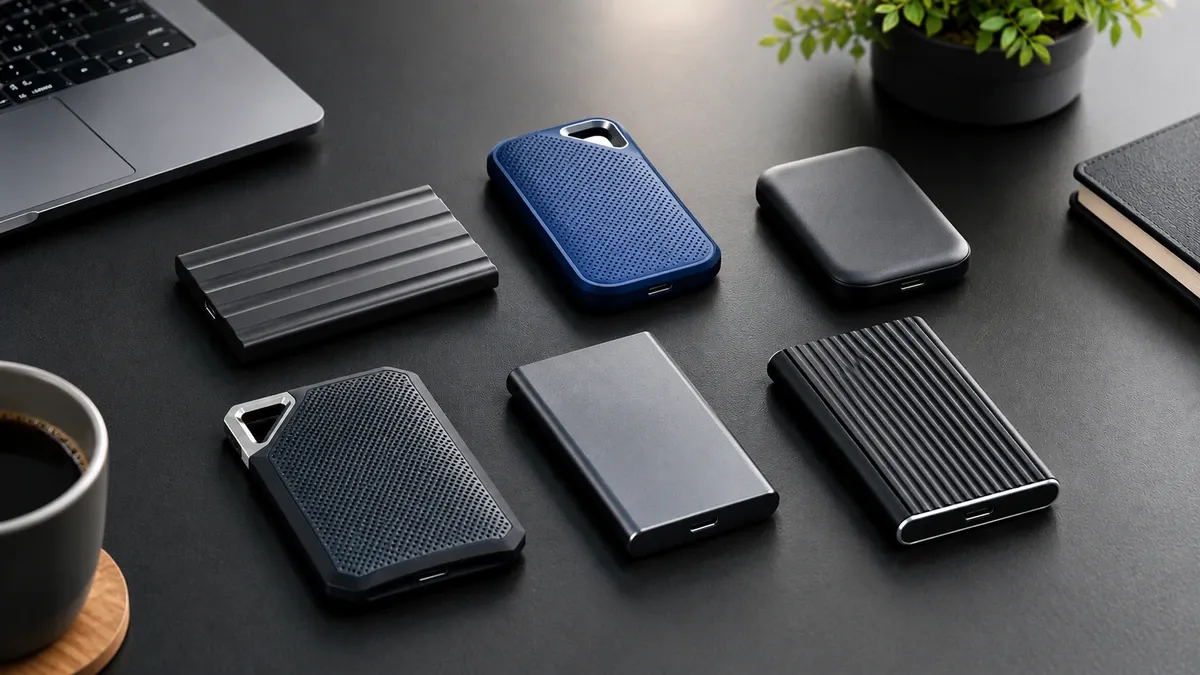
An external SSD can make a big difference when you regularly move large files, edit photos or videos, back up a laptop, or need extra storage on the go.
But choosing one isn’t simply about finding the SSD with the highest advertised speed.
The connection on your computer matters. So do durability, warranty, size, and how you actually plan to use the drive.
We looked at four popular 1TB portable SSDs and found that each one makes more sense for a different type of buyer.
Affiliate Disclosure: This post contains affiliate links. If you purchase through our links, we may earn a small commission at no extra cost to you.
What to Look for in an External SSD
Before choosing an external SSD, check these points first. The fastest drive on the product page is not automatically the right drive for your computer.
1. Check the USB Connection
This is one of the easiest things to overlook.
An SSD’s advertised speed depends on the connection between the drive and your computer. For example, the Samsung T7 is rated for up to 1,050 MB/s read and 1,000 MB/s write, but Samsung says the host device, cable and USB 3.2 Gen 2 connection need to support the required standard to reach those speeds.
So before buying a high-speed SSD, check the USB specification of the laptop, desktop, tablet or other device you plan to use.
2. Look at Read and Write Speed
Read speed affects how quickly you can access or copy data from the SSD.
Write speed matters when you’re moving files onto it, recording data, or working with large files.
Don’t compare drives using read speed alone. Check both numbers.
Also remember that advertised sequential speeds are manufacturer ratings. Real-world performance can vary depending on the computer, connection, cable, workload and other factors.
3. Choose Enough Storage
Think about what you will store before choosing the capacity.
- 1TB: A practical starting point for documents, photos, videos and regular backups.
- 2TB: Better if you work with large photo or video libraries.
- 4TB: Useful when you need a large portable library and don’t want to carry multiple drives.
You don’t have to buy the largest capacity available. Buy enough space for the files you actually plan to keep on the drive, with some room left for future use.
4. Check Durability if You Travel With It
If the SSD will stay on your desk, durability may not be a major priority.
If you carry it between home, office, college, shoots or trips, it becomes more important.
Look for specific protection ratings and drop-resistance claims rather than vague descriptions such as “rugged.”
For example, the Samsung T7 Shield has an IP65 rating and is designed to withstand a 3-metre drop.
5. Check the Size and Weight
Portable SSDs are generally much easier to carry than traditional external hard drives, but there are still differences between models.
If you travel frequently, a smaller and lighter drive may be more convenient.
If the drive will mostly stay on your desk, size and weight may matter less than speed, capacity or durability.
6. Check Compatibility
Make sure the SSD works with the devices you actually plan to use.
Check:
- Your computer’s USB port
- The included cable or adapter
- Operating-system support
- Smartphone or tablet compatibility, if required
- Console compatibility, if you plan to use the SSD for gaming
A USB-C connector by itself doesn’t tell you the maximum transfer speed. The underlying USB standard matters too.
7. Look at the Warranty
An external SSD stores your data, so warranty coverage is worth checking.
Compare the manufacturer’s warranty period before buying. The four SSDs in this guide don’t all offer the same coverage.
Also remember that a warranty does not replace a backup. An external SSD should not be your only copy of important files.
8. Don’t Pay for Speed Your Device Can’t Use
This is especially important with high-speed portable SSDs.
A drive may advertise 2,000 MB/s or more, but your computer needs a compatible connection to take advantage of that speed.
That’s why the SanDisk Extreme Pro is not automatically the best choice for everyone. Its headline performance depends on a compatible USB 3.2 Gen 2×2 connection.
Before spending more on a faster SSD, check what your computer can actually support.
External SSDs Worth Considering
These are not ranked as Budget, Balanced, or Premium because the price difference is too large to make those categories useful.
Instead, each drive has a specific reason to consider it.
- Best Value: SanDisk Extreme 1TB
- Best Everyday: Samsung T7 1TB
- Best Rugged: Samsung T7 Shield 1TB
- Best High-Speed: SanDisk Extreme Pro 1TB
The right choice depends on what matters most to you.
🥇 SanDisk Extreme 1TB – Best Value
Best for: Buyers who want fast everyday performance with better protection and a longer warranty.
At around ₹19,999, the SanDisk Extreme is the most compelling value in this group.
Its rated sequential speeds are up to 1,050 MB/s read and 1,000 MB/s write, putting it in the same headline performance class as the Samsung T7.
Where it pulls ahead is durability.
The drive has IP65 water and dust resistance, up to 3-metre drop protection, and a 5-year limited warranty.
Key Features
- Capacity: 1TB
- Interface: USB 3.2 Gen 2
- Sequential read: Up to 1,050 MB/s
- Sequential write: Up to 1,000 MB/s
- Dimensions: 100.8 × 52.55 × 9.6 mm
- Compatibility: USB Type-C devices, Windows, macOS, Android and supported iOS devices
- IP65 water and dust resistance
- Drop protection up to 3 metres
- 256-bit AES password protection
- Carabiner loop
- USB-C to USB-C cable
- USB-C to USB-A adapter
- 5-year limited warranty
Why We Recommend It
The SanDisk Extreme gives you roughly the same advertised performance class as the T7 while adding stronger physical protection and a longer warranty.
That makes the value proposition easy to understand.
You’re not paying more simply for a higher speed number. You’re getting a drive designed to handle more of the rough treatment that comes with carrying an SSD around.
Our take: The Best Value if you want a fast portable SSD and care about durability.
🥈 Samsung T7 1TB – Best Everyday
Best for: Buyers who want a compact, proven everyday portable SSD.
The Samsung T7 remains a straightforward choice for everyday storage, backups and file transfers.
It is rated for sequential read speeds of up to 1,050 MB/s and sequential write speeds of up to 1,000 MB/s over USB 3.2 Gen 2. Samsung lists the 1TB model at 58 grams and 8.5 × 5.7 × 0.8 cm.
Key Features
- Capacity: 1TB
- Interface: USB 3.2 Gen 2, 10Gbps
- Sequential read: Up to 1,050 MB/s
- Sequential write: Up to 1,000 MB/s
- Dimensions: 8.5 × 5.7 × 0.8 cm
- Weight: 58g
- Aluminium enclosure
- AES 256-bit hardware encryption
- Optional password protection
- USB-C to USB-C cable
- USB-C to USB-A cable
- Compact portable design
- 3-year manufacturer warranty
Why We Recommend It
The T7 doesn’t try to be a rugged drive or a 2,000 MB/s specialist.
It does the basics well.
If you mainly want a compact SSD for moving files between a laptop and desktop, backing up data, or carrying extra storage, the T7 is a sensible everyday option.
At the supplied price of ₹24,799, however, it costs around ₹4,800 more than the SanDisk Extreme.
That makes the T7 harder to justify on value alone.
Our take: The Best Everyday option, but the SanDisk Extreme offers more for the money at the prices considered here.
🥉 Samsung T7 Shield 1TB – Best Rugged
Best for: Buyers who regularly carry their SSD around and want additional physical protection.
The T7 Shield is built around the same basic performance class as the regular T7, but adds a more rugged exterior and IP65 protection.
Samsung rates it for sequential read speeds of up to 1,050 MB/s and sequential write speeds of up to 1,000 MB/s. It has an IP65 rating and is designed to withstand drops of up to 3 metres.
Key Features
- Capacity: 1TB
- Interface: USB 3.2 Gen 2, 10Gbps
- Sequential read: Up to 1,050 MB/s
- Sequential write: Up to 1,000 MB/s
- Dimensions: 5.9 × 8.8 × 1.3 cm
- Weight: 98g
- IP65 water and dust resistance
- Drop resistance up to 3 metres
- Rubberised exterior
- AES 256-bit hardware encryption
- USB-C to USB-C cable
- USB-C to USB-A cable
- 3-year limited warranty
Why We Recommend It
The T7 Shield makes sense when protection is part of the reason you’re buying an external SSD.
It gives you the same headline 1,050/1,000 MB/s performance class as the regular T7, but with substantially more physical protection.
At around ₹28,449, though, it is difficult to recommend for someone who simply wants portable storage.
Our take: Choose it when you actually need the rugged protection. Otherwise, the regular T7 or SanDisk Extreme makes more sense.
SanDisk Extreme Pro 1TB – Best High Speed
Best for: Users with a computer that supports USB 3.2 Gen 2×2 and who can actually take advantage of its higher speed.
This is where the buying decision gets more interesting.
The SanDisk Extreme Pro 1TB is rated for up to 2,000 MB/s sequential read and 2,000 MB/s sequential write. But those speeds require a compatible USB 3.2 Gen 2×2 connection.
If your computer only has a standard USB 3.2 Gen 2 connection, you should not expect the full 2,000 MB/s headline speed.
That is an important distinction when comparing external SSDs.
Key Features
- Capacity: 1TB
- Interface: USB 3.2 Gen 2×2
- Connector: USB-C
- Sequential read: Up to 2,000 MB/s
- Sequential write: Up to 2,000 MB/s
- Requires compatible USB 3.2 Gen 2×2 host connection for full rated performance
- IP65 water and dust resistance
- Up to 3-metre drop protection
- 256-bit AES password protection
- Carabiner loop
- 5-year limited warranty
Why We Recommend It
The Extreme Pro is the fastest drive in this group on paper, but that doesn’t automatically make it the best choice.
If your computer cannot provide a USB 3.2 Gen 2×2 connection, you’re paying for performance your system may not be able to use.
That’s exactly why advertised SSD speed should never be the only buying criterion.
Our take: A High-Speed specialist, not the default recommendation.
Quick Comparison
Feature | SanDisk Extreme | Samsung T7 | Samsung T7 Shield | SanDisk Extreme Pro |
Best For | Value | Everyday use | Rugged use | High-speed workloads |
Capacity | 1TB | 1TB | 1TB | 1TB |
Interface | USB 3.2 Gen 2 | USB 3.2 Gen 2 | USB 3.2 Gen 2 | USB 3.2 Gen 2×2 |
Read Speed | Up to 1,050 MB/s | Up to 1,050 MB/s | Up to 1,050 MB/s | Up to 2,000 MB/s |
Write Speed | Up to 1,000 MB/s | Up to 1,000 MB/s | Up to 1,000 MB/s | Up to 2,000 MB/s |
Water/Dust Protection | IP65 | Not rated | IP65 | IP65 |
Drop Protection | Up to 3m | NA | Up to 3m | Up to 3m |
Warranty | 5 years | 3 years | 3 years | 5 years |
Key Advantage | Value + durability | Simple everyday use | Rugged protection | Higher potential speed |
Which External SSD Should You Buy?
Choose the SanDisk Extreme if:
You want the best overall value and would benefit from IP65 protection, 3-metre drop resistance and a 5-year warranty.
Choose the Samsung T7 if:
You want a compact, straightforward everyday SSD and don’t need rugged protection.
Choose the Samsung T7 Shield if:
You regularly carry your SSD around and the additional protection is worth paying for.
Choose the SanDisk Extreme Pro if:
Your computer supports USB 3.2 Gen 2×2 and you have a workload that can actually benefit from the higher transfer speeds.
The USB Port Can Change Your SSD’s Speed
This is the most important thing to check before buying a fast external SSD.
An SSD can advertise 2,000 MB/s, but your computer’s USB connection can become the limiting factor.
The SanDisk Extreme Pro is a good example.
Its 2,000 MB/s rating depends on a compatible USB 3.2 Gen 2×2 connection. A slower connection can limit the drive’s actual transfer speed.
So before paying extra for a high-speed external SSD, check the USB specification of the device you will actually connect it to.
The fastest SSD isn’t always the fastest setup.
Information Update: The prices, ratings, and review counts mentioned in this article were accurate at the time of writing. Since Amazon listings change frequently, please verify the latest pricing, availability, ratings, and reviews before making your purchase.
Final Word
There isn’t one external SSD that makes sense for everyone.
The SanDisk Extreme is our Best Value pick because it combines 1,050/1,000 MB/s-class performance with IP65 protection, 3-metre drop resistance and a 5-year warranty.
The Samsung T7 remains the Best Everyday choice for straightforward portable storage.
The Samsung T7 Shield is the better choice when rugged protection matters.
And the SanDisk Extreme Pro is for buyers who have the right USB connection and genuinely need higher transfer speeds.
Before buying, check three things:
How fast is the SSD?
How much protection do you need?
What USB connection does your computer actually support?
That will tell you more than the biggest speed number on the product page.
Related Guides
If you’re comparing storage and other tech for your setup, these guides may also help:
- Best SSDs in India (2026) – Worth Buying Guide
- Best USB Hubs in India (2026) – Picks for Students, Professionals and Power Users
- Best Laptop Stands in India (2026) – Budget, Balanced and Premium Picks
- Best Monitor Arms in India (2026) – Budget & Balanced Picks
- Best Bluetooth Speakers Under ₹5,000 in India (2026)
- Desk Essentials That Improve Productivity Without Overspending (India 2026)