
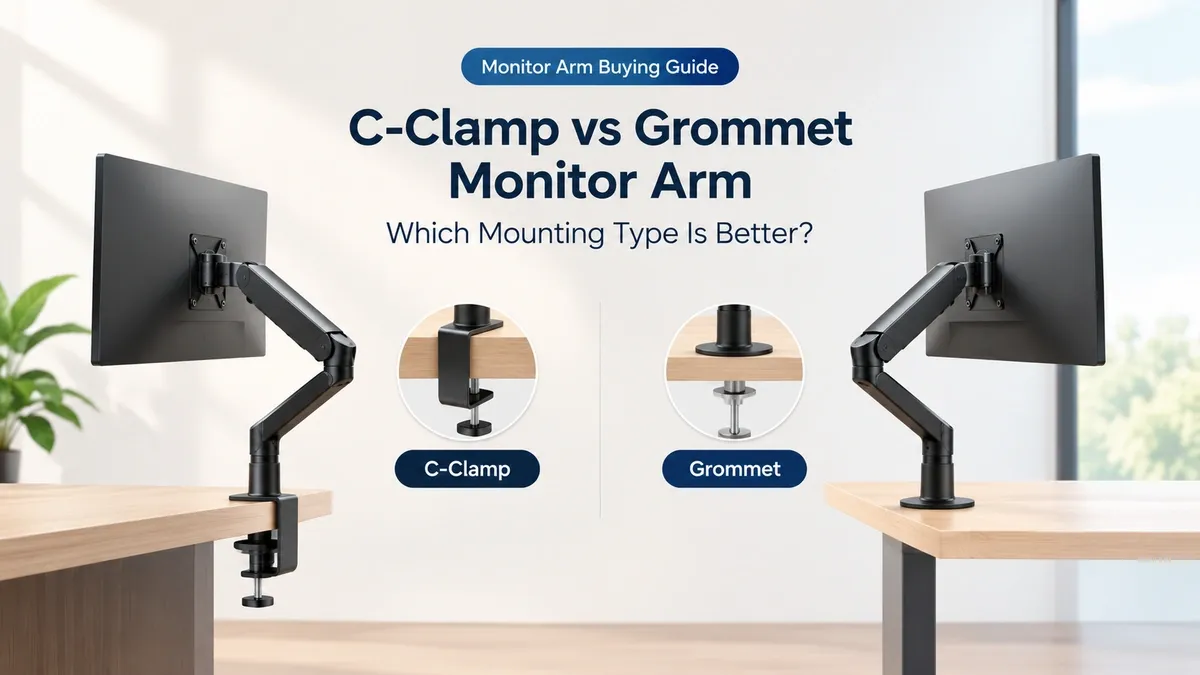
Choosing a monitor arm is not just about the arm itself. You also need to decide how it will attach to your desk.
Most monitor arms use one of two mounting methods:
C-clamp or grommet.
Both can hold a monitor securely when used within the manufacturer’s specifications. The better choice depends on your desk, available space and whether you want to drill a hole.
Affiliate Disclosure: This post contains affiliate links. If you purchase through our links, we may earn a small commission at no extra cost to you.
What Is a C-Clamp Monitor Arm?
A C-clamp attaches to the edge of your desk.
The clamp grips the tabletop from above and below, so you usually do not need to drill or modify the desk.
This makes it the simpler option for most normal desks.
You just need to make sure the desk edge and tabletop thickness fall within the arm’s specified range. That range varies between models. For example, some MOUNTUP and BenQ arms support different thickness ranges for their clamp and grommet mounts.
What Is a Grommet Monitor Arm?
A grommet mount attaches through a hole in the desk.
Some desks already have cable-management holes that can be used. Otherwise, installing a grommet may require drilling a suitable hole in the desktop.
The hole position also matters. The arm needs enough clearance around the hole, and the hole itself must meet the manufacturer’s requirements.
C-Clamp vs Grommet
Feature | C-Clamp | Grommet |
Installation | Attaches to desk edge | Attaches through desk hole |
Drilling needed | Usually no | Only if a suitable hole doesn't already exist |
Best for | Most standard desks | Desks with suitable cable holes or difficult rear access |
Easy to reposition | Generally easier | Less convenient |
Desk edge required | Yes | No |
Desk modification | Usually none | May require drilling |
Thickness limits | Check manufacturer's specification | Check manufacturer's specification |
When Should You Choose a C-Clamp?
A C-clamp makes sense when you have a normal desk with a usable rear edge.
It is also useful when you may move your monitor arm later because you can change the mounting position without drilling a new hole.
BenQ specifically notes that a desk clamp does not require drilling or modification and can be useful when you expect to reposition the arm.
Before buying, check three things:
Desk thickness
The clamp must support your tabletop thickness.
Desk edge
The rear edge needs to provide enough room for the clamp to attach properly.
Clearance behind the desk
The clamp needs physical space underneath and behind the tabletop.
A desk pushed tightly against a wall or fitted with a fixed rear panel can make a C-clamp difficult or impossible to install.
When Should You Choose a Grommet?
A grommet can be useful when there isn’t enough room for a C-clamp.
This is especially relevant when the back of the desk is blocked by a wall, partition or another obstruction. BenQ gives this as one situation where a grommet can be more suitable.
It can also be a convenient option when your desk already has a suitable cable-management hole.
But don’t assume every cable hole will work.
The hole diameter, position and desk thickness must match the monitor arm’s specifications.
Which One Is More Secure?
There isn’t a simple answer.
Both mounting methods can provide a secure installation when the desk, mounting hardware and monitor are within the manufacturer’s specifications.
The important part is using the correct mounting method for your desk rather than choosing one because it sounds stronger.
The desk material matters too. Some monitor-arm manufacturers place restrictions on fragile or hollow desktops or recommend reinforcement plates for certain surfaces.
A Common Mistake: Checking Only the Monitor
People often check whether the arm supports their monitor’s size and weight, then forget about the desk.
That can cause installation problems.
Before buying, check:
- Monitor weight without the original stand
- VESA compatibility
- Monitor arm weight range
- Desk thickness
- Clamp or grommet requirements
- Available space behind and underneath the desk
All of these need to work together.
So, Which Mount Should You Buy?
Choose a C-clamp when your desk has a suitable rear edge and you want a straightforward installation without drilling.
Choose a grommet when your desk already has a suitable hole, or when the desk layout makes a rear clamp difficult to use.
Neither mounting type automatically makes a monitor arm better.
The right mount is the one that properly fits your desk.
Insitelane Take
Don’t choose a monitor arm first and worry about the mounting method later.
Check your desk thickness, rear clearance and available mounting space before you buy.
A monitor arm can have the right monitor capacity and VESA support and still be the wrong choice for your desk.