
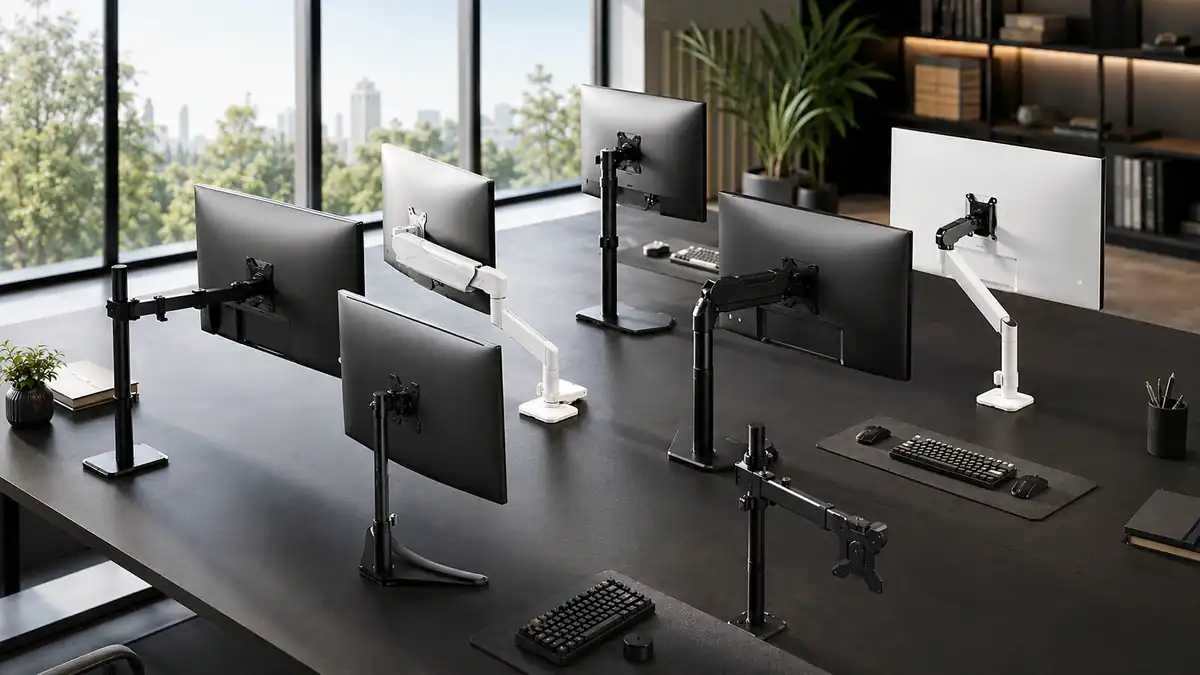
A good monitor arm can improve your desk setup, but choosing one isn’t just about price or how much the arm can move. You need to check monitor size, weight, VESA compatibility, mounting method, and adjustment range before buying.
We reviewed monitor arms based on compatibility, adjustability, mounting flexibility, build quality, and overall value to identify the options worth considering.
Affiliate Disclosure: This post contains affiliate links. If you purchase through our links, we may earn a small commission at no extra cost to you.
What to Check Before Buying a Monitor Arm
1. Check Your Monitor’s VESA Pattern
Most monitor arms use standard VESA mounting patterns.
The two common patterns are:
- 75 × 75 mm
- 100 × 100 mm
Check the mounting holes on the back of your monitor before buying.
2. Check the Monitor Weight
Don’t choose an arm based only on screen size.
Your monitor must fall within the arm’s supported weight range. If the monitor is too heavy for the arm, the arm may not hold its position correctly.
3. Check Monitor Size Compatibility
Monitor arms are designed for specific screen-size ranges.
A 32-inch monitor, for example, should only be mounted on an arm that explicitly supports that size.
4. Look at the Movement Range
If you frequently reposition your monitor, look for:
- Tilt adjustment
- Swivel adjustment
- Screen rotation
- Arm extension
- Height adjustment
More adjustment range can make it easier to position the monitor for different working positions.
5. Check Your Desk and Mounting Type
Most monitor arms use either:
- C-clamp mounting — attaches to the edge of the desk
- Grommet mounting — attaches through a hole in the desk
Check the maximum supported desk thickness before buying.
Budget Picks – Best Monitor Arms Under ₹2,500
🥇 Amazon Basics Single Monitor Arm – Editor’s Pick
Best for: Most users looking for a straightforward, affordable monitor arm.
The Amazon Basics Single Monitor Arm offers a strong combination of monitor compatibility, weight capacity, movement, and standard VESA support.
Key Features
- Monitor compatibility: 13–30 inches
- Maximum load: 22 lb / 9.9 kg
- VESA: 75 × 75 mm and 100 × 100 mm
- Screen rotation: 360°
- Tilt: −15° to +85°
- Height adjustment: approximately 7.9–14.2 inches
- Mounting: C-clamp
- Desk thickness: approximately 0.8–3.9 inches
- Detachable VESA plate
- Cable management
- Steel construction
- 1-year warranty
Why We Recommend It
The Amazon Basics arm is a practical choice for users who want the essential benefits of a monitor arm without spending too much.
Its 22 lb load capacity, standard VESA support, 360° rotation, and useful height adjustment make it a strong all-rounder for compatible monitors.
Best for: Office work, study setups, and everyday productivity.
Verdict: A strong budget choice if your monitor falls within its size and weight limits.
🥈 WALI GSDM001 — Budget Runner-up
Best for: Users who want a gas-spring arm with flexible positioning.
The WALI GSDM001 is another capable option in the budget segment, particularly if you prefer a gas-spring mechanism for easier monitor repositioning.
Key Features
- Monitor compatibility: 13–32 inches
- Maximum load: up to 19.8 lb / 9 kg
- VESA: 75 × 75 mm and 100 × 100 mm
- Gas-spring mechanism
- Tilt: ±35°
- Swivel: ±90°
- Screen rotation: 360°
- Mounting: C-clamp or grommet
- Steel construction
- Cable management
Why Consider It
The GSDM001 supports larger monitors than the Amazon Basics option and offers a gas-spring mechanism with a broad range of movement.
It’s a good alternative if your monitor is larger or you specifically prefer a gas-spring design.
Best for: Users with compatible 27–32-inch monitors who want flexible positioning.
Verdict: A solid budget alternative to the Amazon Basics arm.
Balanced Picks — Best Monitor Arms Around ₹2,500–₹5,500
🥇 MOUNTUP Single Monitor Desk Mount — Editor’s Pick
Best for: Users who frequently reposition their monitor and want a wide range of adjustment.
The MOUNTUP Single Monitor Desk Mount offers extensive positioning flexibility while supporting monitors up to 32 inches.
Key Features
- Model: MU0004
- Monitor compatibility: up to 32 inches
- Weight capacity: 4.4–19.8 lb / approximately 2–9 kg
- VESA: 75 × 75 mm and 100 × 100 mm
- Screen swivel: ±180°
- Screen tilt: +90° upward / −45° downward
- Screen rotation: 360°
- Arm extension: up to 19.27 inches
- Height adjustment: up to 16.3 inches
- Mounting: C-clamp or grommet
- Desk thickness: 0.39–2.76 inches
- Grommet hole diameter: 0.39–2.36 inches
- Adjustable gas-spring tension
- Built-in cable management
- Steel construction
- Removable VESA plate
- Installation time: approximately 15 minutes
Why We Recommend It
The biggest advantage of this MOUNTUP arm is its adjustment range.
With ±180° swivel, +90°/−45° tilt, 360° screen rotation, up to 19.27 inches of arm extension, and up to 16.3 inches of height adjustment, it gives users considerable flexibility when positioning a monitor.
It also supports both C-clamp and grommet installation, making it suitable for different desk setups.
Best for: Work-from-home setups, professionals, creators, and users who regularly change monitor positioning.
Verdict: Our Balanced Editor’s Pick for users who want greater adjustment flexibility without moving into a higher-priced monitor arm.
🥈 North Bayou F80 — Balanced Runner-up
Best for: Users looking for a well-rounded gas-spring monitor arm.
The North Bayou F80 combines gas-spring adjustment with support for monitors up to 30 inches.
Key Features
- Monitor compatibility: 17–30 inches
- Load capacity: 2–9 kg / 4.4–19.8 lb
- VESA: 75 × 75 mm and 100 × 100 mm
- Gas-spring mechanism
- Tilt: −30° to +85°
- Swivel: ±90°
- Screen rotation: 360°
- Height adjustment range: approximately 260 mm
- Mounting: C-clamp or grommet
- Steel construction
- Cable management
Why Consider It
The F80 offers a good balance of monitor support and movement.
Its gas-spring mechanism makes repositioning easier, while its 9 kg maximum load covers many common monitors.
Best for: Users who want a gas-spring monitor arm with straightforward full-motion adjustment.
Verdict: A strong alternative to the MOUNTUP, particularly if its fit, mounting requirements, or pricing work better for your setup.
Quick Comparison
Feature | Amazon Basics | WALI GSDM001 | MOUNTUP Single Monitor Desk Mount | North Bayou F80 |
Category | Budget | Budget | Balanced | Balanced |
Monitor Size | 13-30 inches | 13-32 inches | Up to 32 inches | 17–30 inches |
Max Load | 22 lb / 9.9 kg | 19.8 lb / 9 kg | 19.8 lb / ~9 kg | 19.8 lb / 9 kg |
VESA | 75×75 / 100×100 mm | 75×75 / 100×100 mm | 75×75 / 100×100 mm | 75×75 / 100×100 mm |
Tilt | −15° to +85° | ±35° | -45° to +90° | −30° to +85° |
Swivel | - | ±90° | ±180° | ±90° |
Screen Rotation | 360° | 360° | 360° | 360° |
Arm Extension | - | - | Up to 19.27 inches | - |
Height Adjustment | Approx. 7.9–14.2" | - | Up to 16.3 inches | Approx. 260 mm |
Gas Spring | - |  Yes Yes | Yes | Yes |
Mounting | C-clamp | C-clamp + Grommet | C-clamp + Grommet | C-clamp + Grommet |
Cable Management | Yes | Yes | Yes | Yes |
Construction | Steel | Steel | Heavy-duty alloy steel | Steel |
Which Monitor Arm Should You Buy?
Choose Amazon Basics if:
You want a simple, capable monitor arm at a budget price and your monitor is within the 13–30-inch and 22 lb limits.
Choose WALI GSDM001 if:
You want a gas-spring arm and need support for monitors up to 32 inches.
Choose MOUNTUP MU0004 if:
You want the widest adjustment flexibility among these picks, particularly its ±180° swivel, +90°/−45° tilt, 19.27-inch extension, and 16.3-inch height adjustment.
Choose North Bayou F80 if:
You want a capable gas-spring alternative with support for monitors up to 30 inches and up to 9 kg.
3 Checks Before You Buy
Before ordering any monitor arm, check these three things:
1. VESA pattern
Make sure your monitor supports 75 × 75 mm or 100 × 100 mm, depending on the arm.
2. Monitor weight
Check the monitor’s actual weight without its original stand and make sure it falls within the arm’s supported range.
3. Desk compatibility
Check your desk thickness and whether you can use a C-clamp or grommet mount.
These three checks can prevent most compatibility problems before you buy.
Information Update: The prices, ratings, and review counts mentioned in this article were accurate at the time of writing. Since Amazon listings change frequently, please verify the latest pricing, availability, ratings, and reviews before making your purchase.
Final Word
A monitor arm isn’t automatically better just because it has more movement or a higher load rating.
The right choice depends on your monitor size, weight, VESA pattern, desk thickness, and how often you reposition your screen.
For a straightforward budget setup, the Amazon Basics Single Monitor Arm is our Editor’s Pick.
For users who want greater adjustment flexibility, the MOUNTUP MU0004 is our Balanced Editor’s Pick.
The important part is to check compatibility before buying — because even a highly rated monitor arm is a bad purchase if it doesn’t properly fit your monitor or desk.
Related Guides
- Best Monitor Light Bars in India (2026)
- Best Laptop Stands in India (2026)
- Best USB Hubs in India (2026)
- Best Webcams in India (2026)
- Desk Essentials That Improve Productivity Without Overspending (India 2026)